
A Library for every Sunday
Songs, media, saved slides, themes, and Bibles in one place, with tags, favorites, and a note of when each song was last used.
Features
A tour of the tools that help one person prepare the service during the week and run it calmly from the booth.
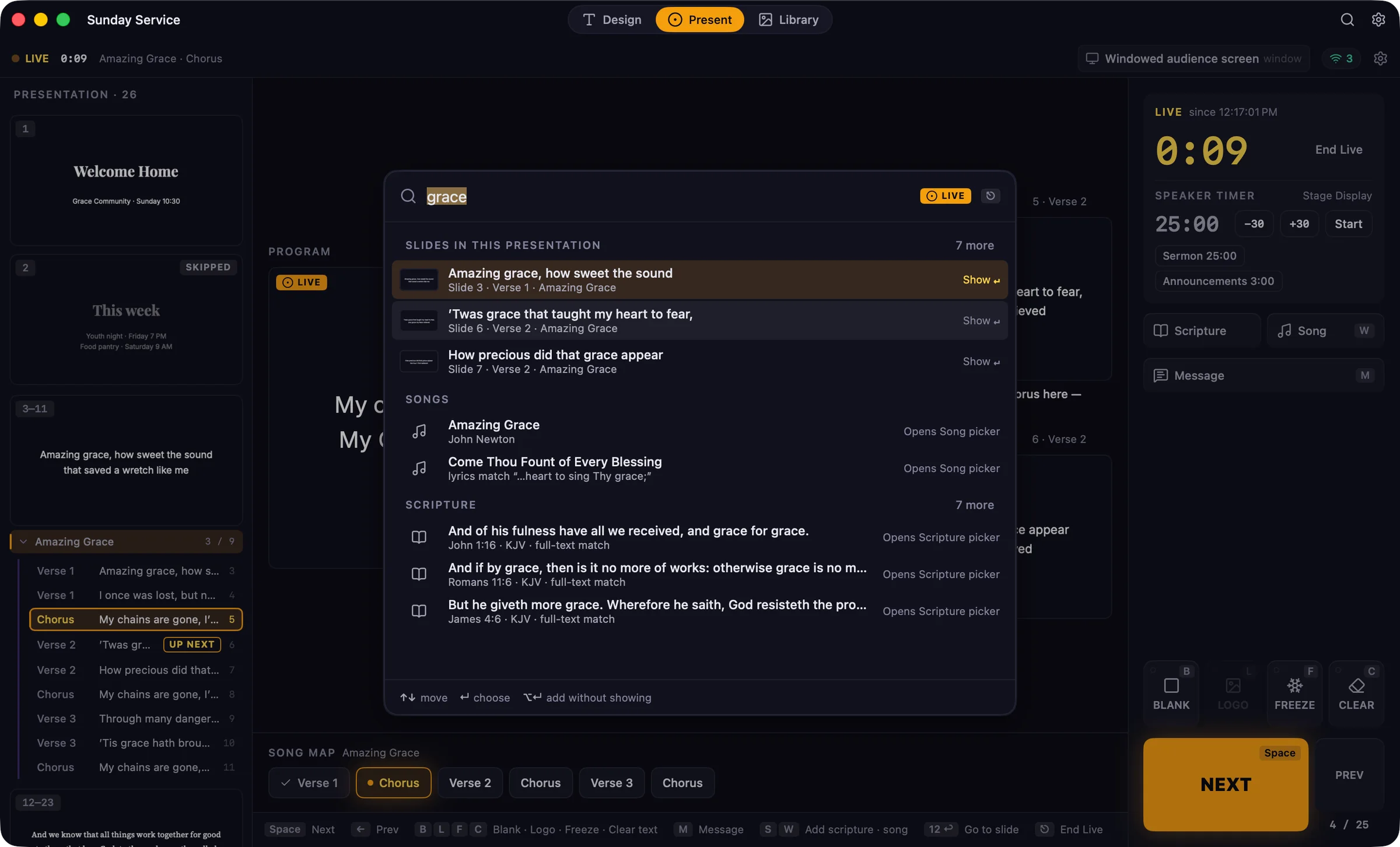
⌘K Search
Press ⌘K and type a verse, a lyric, or a word from a slide. Search looks through this service, your song library, and the Bible at once, so what you need is one Return away, even while you’re live.
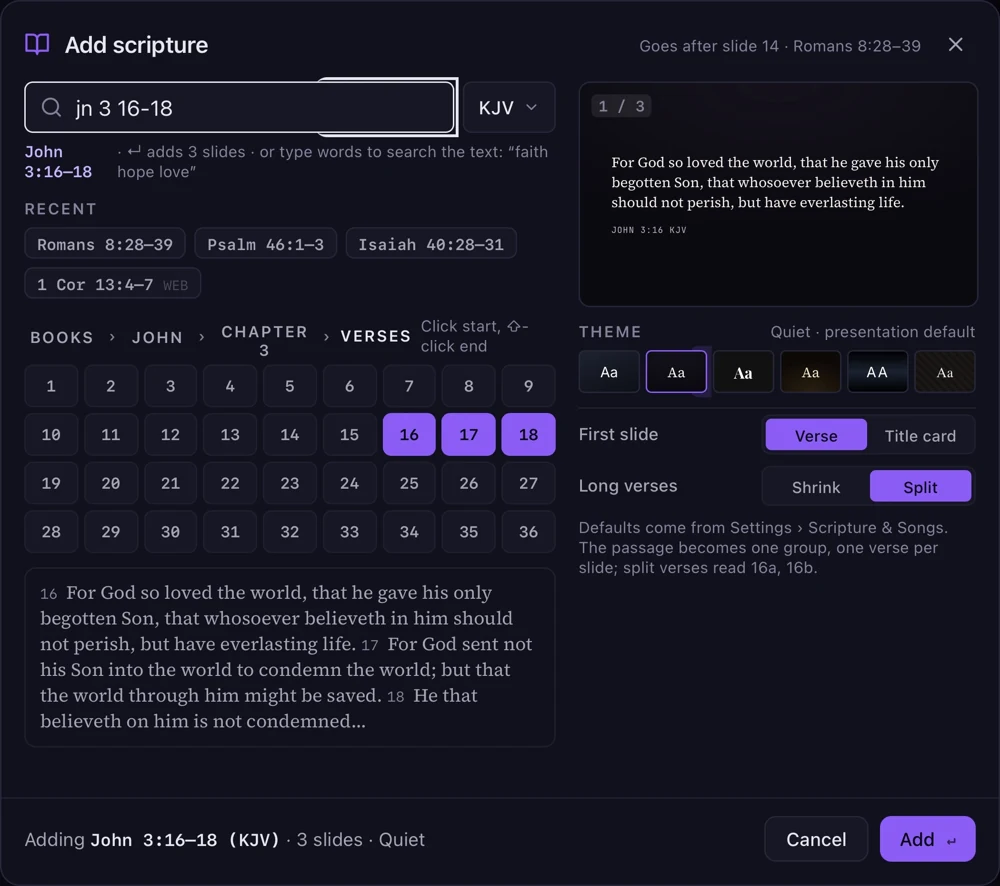
Scripture
Type the reference the way you’d write it in your notes. Guidepost understands shorthand like “jn 3 16-18” or “1 cor 15:58”, shows you the verses, and previews them in your theme before you add them.
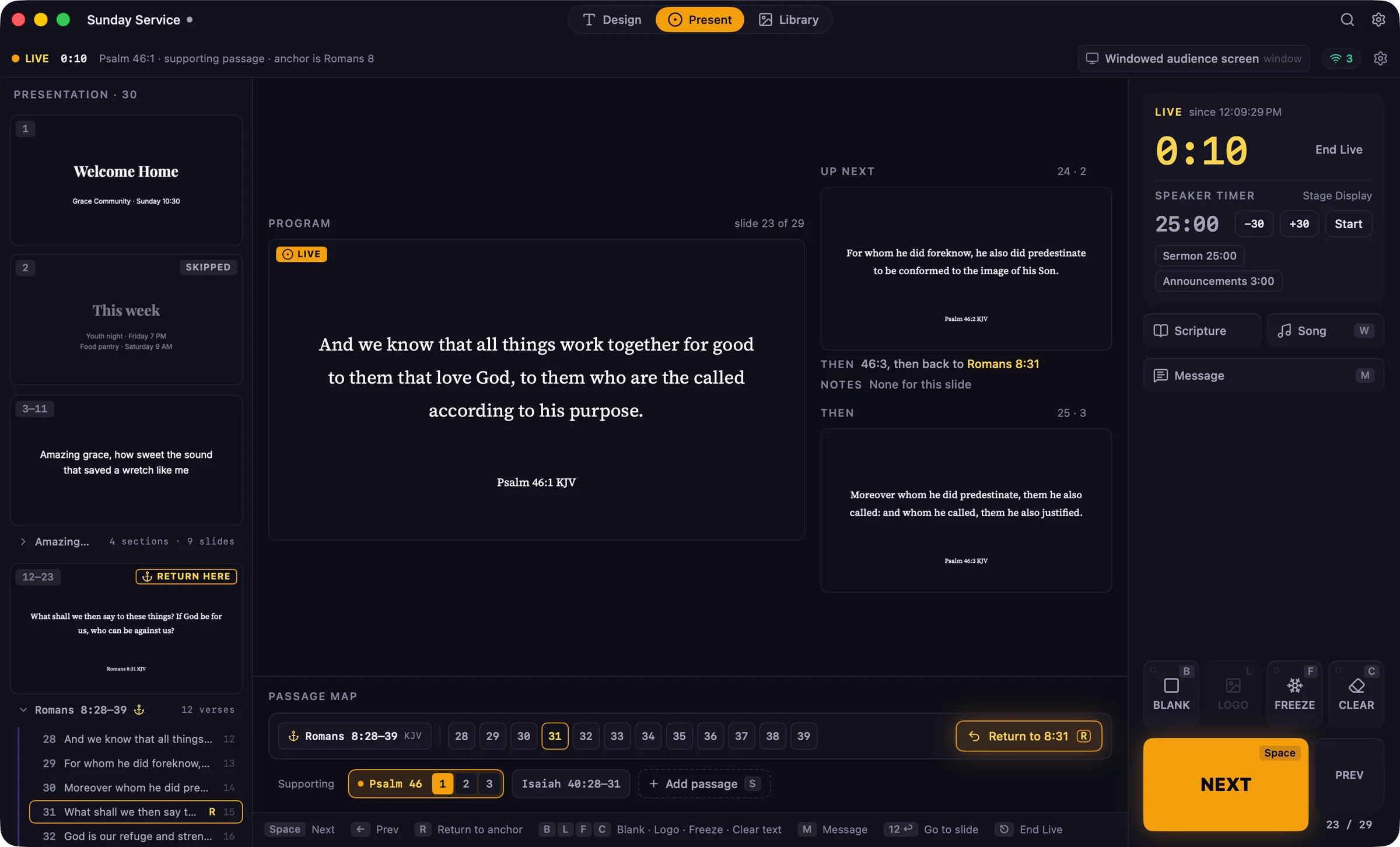
Anchor passages
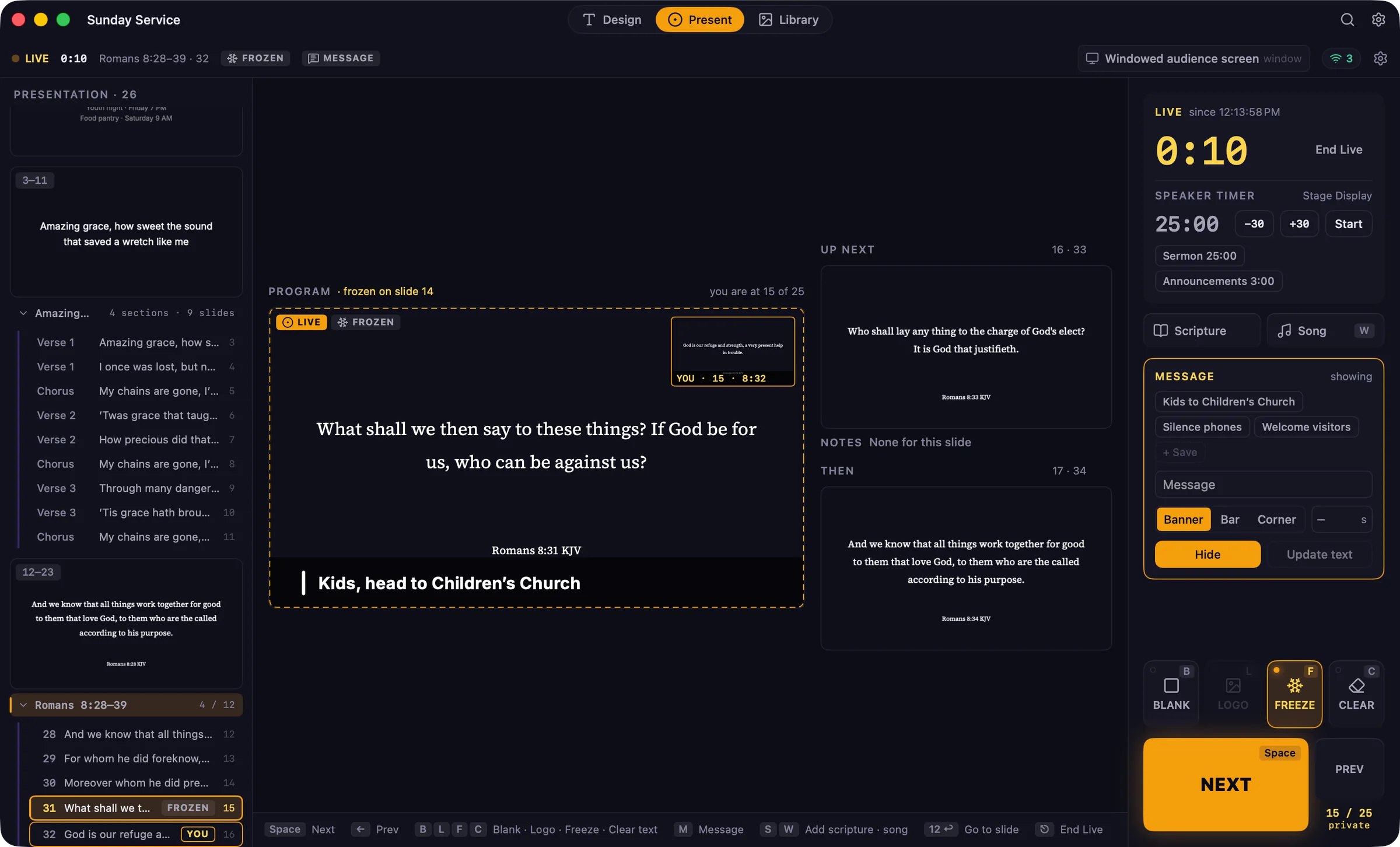
Mark the sermon’s main passage as the anchor. When the pastor turns to another passage, add it as a supporting passage. When it ends, Next brings you straight back to the verse you left.
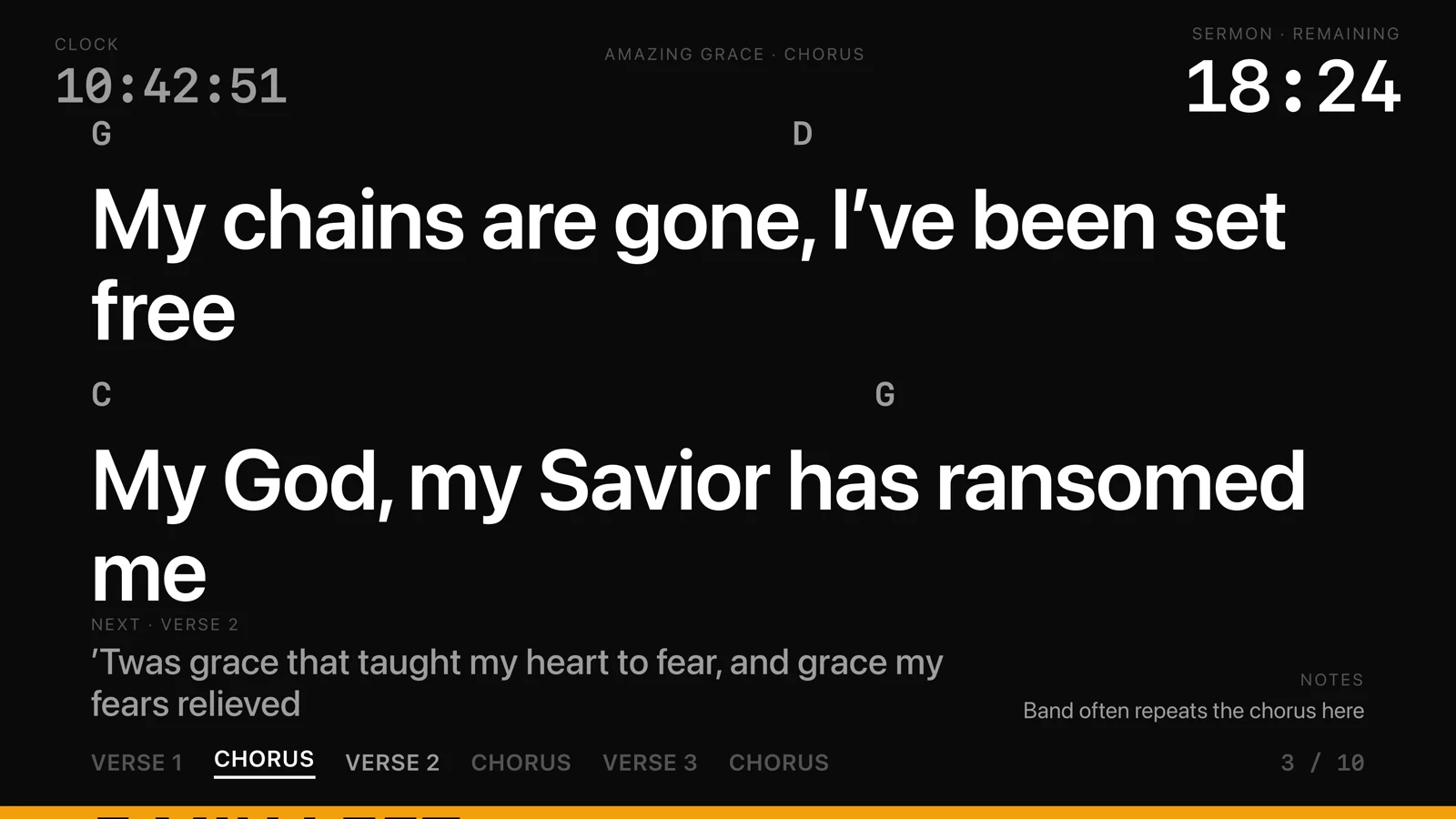
Stage Display
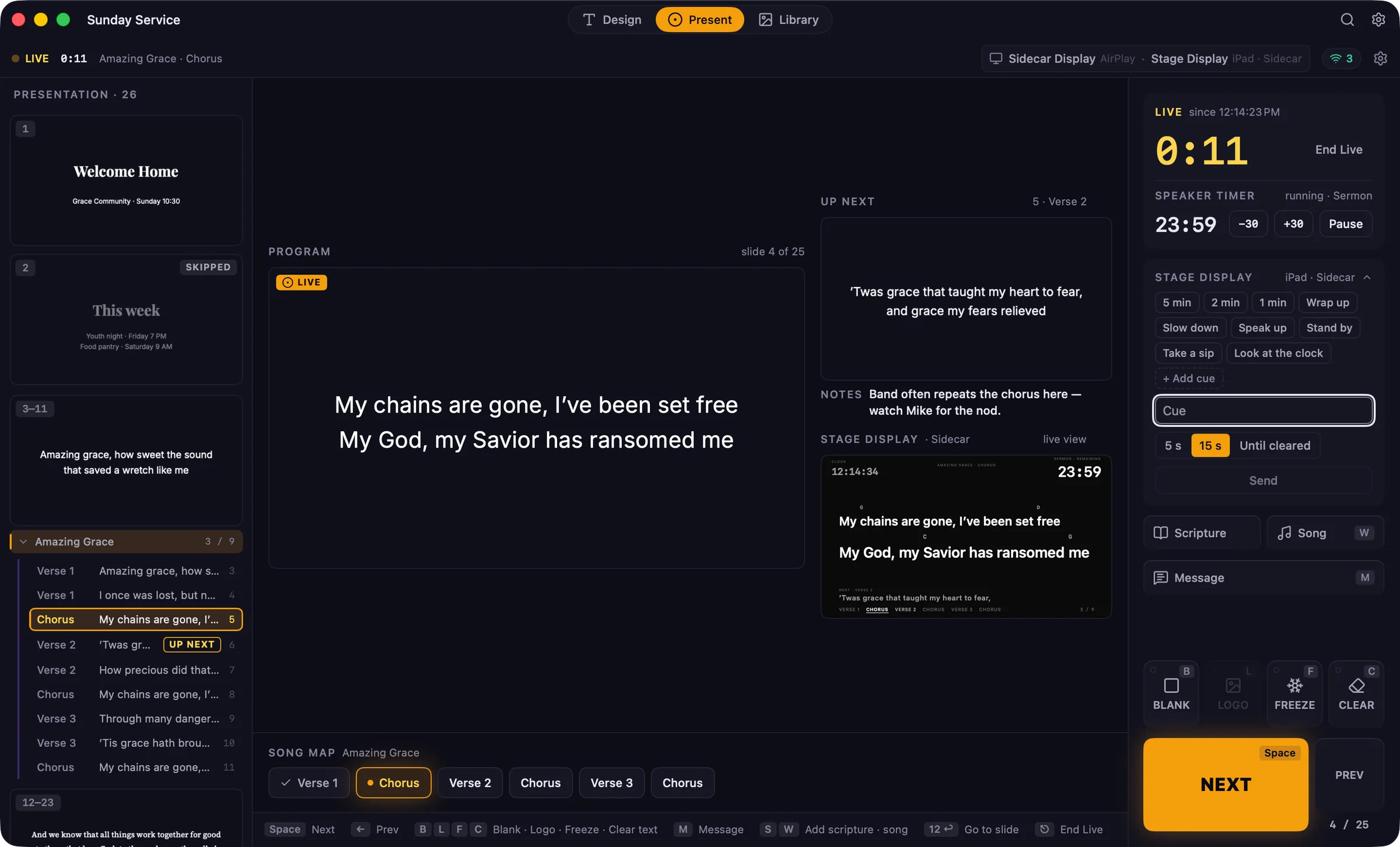
Your speaker and musicians get their own screen: large lyrics with chords above them, what’s next, the song map, the clock, and the speaker timer.
Network viewers
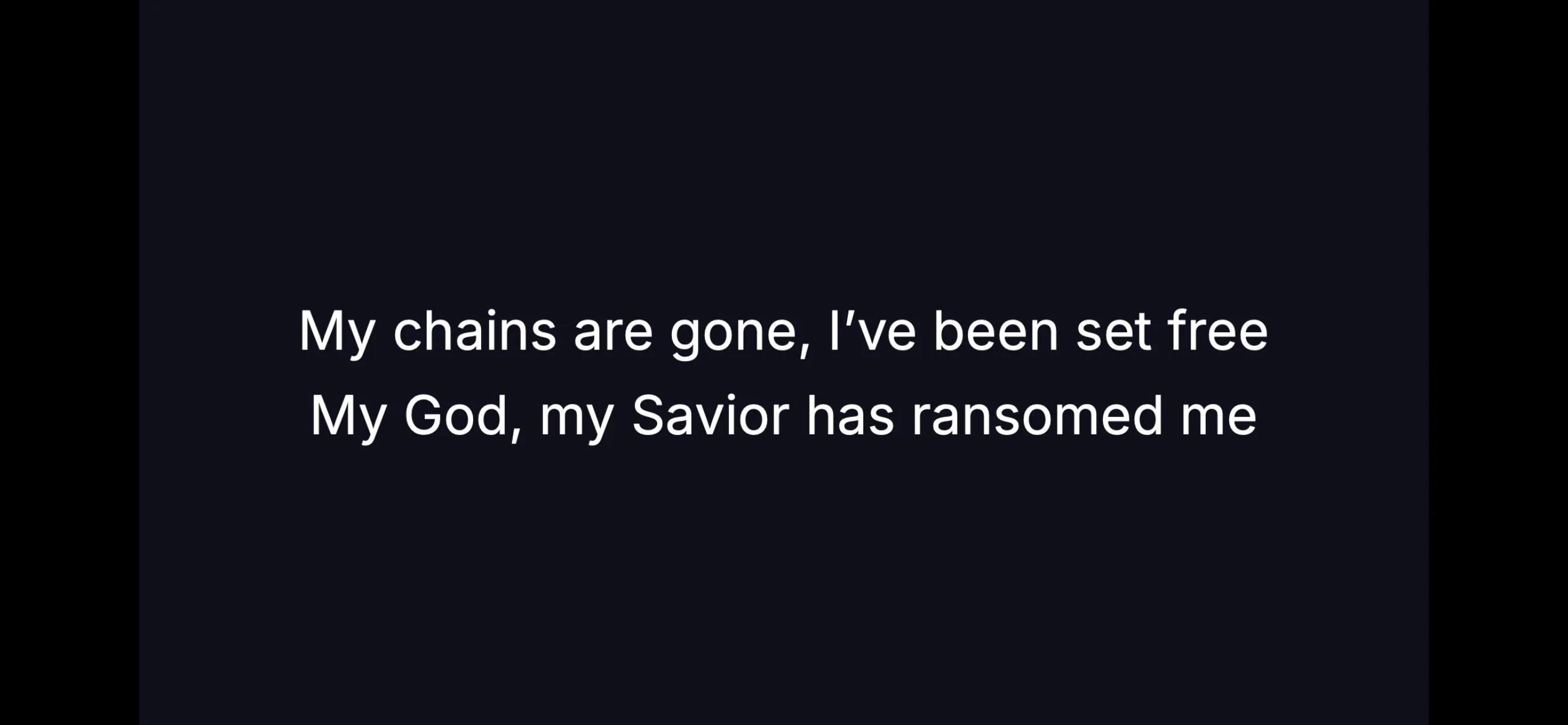
Turn on network viewers and anyone on the church Wi‑Fi can watch in a web browser. They scan the QR code in the Screens panel, with no app to install. Use it for a lobby TV, an overflow room, or someone who needs the words up close.
Themes
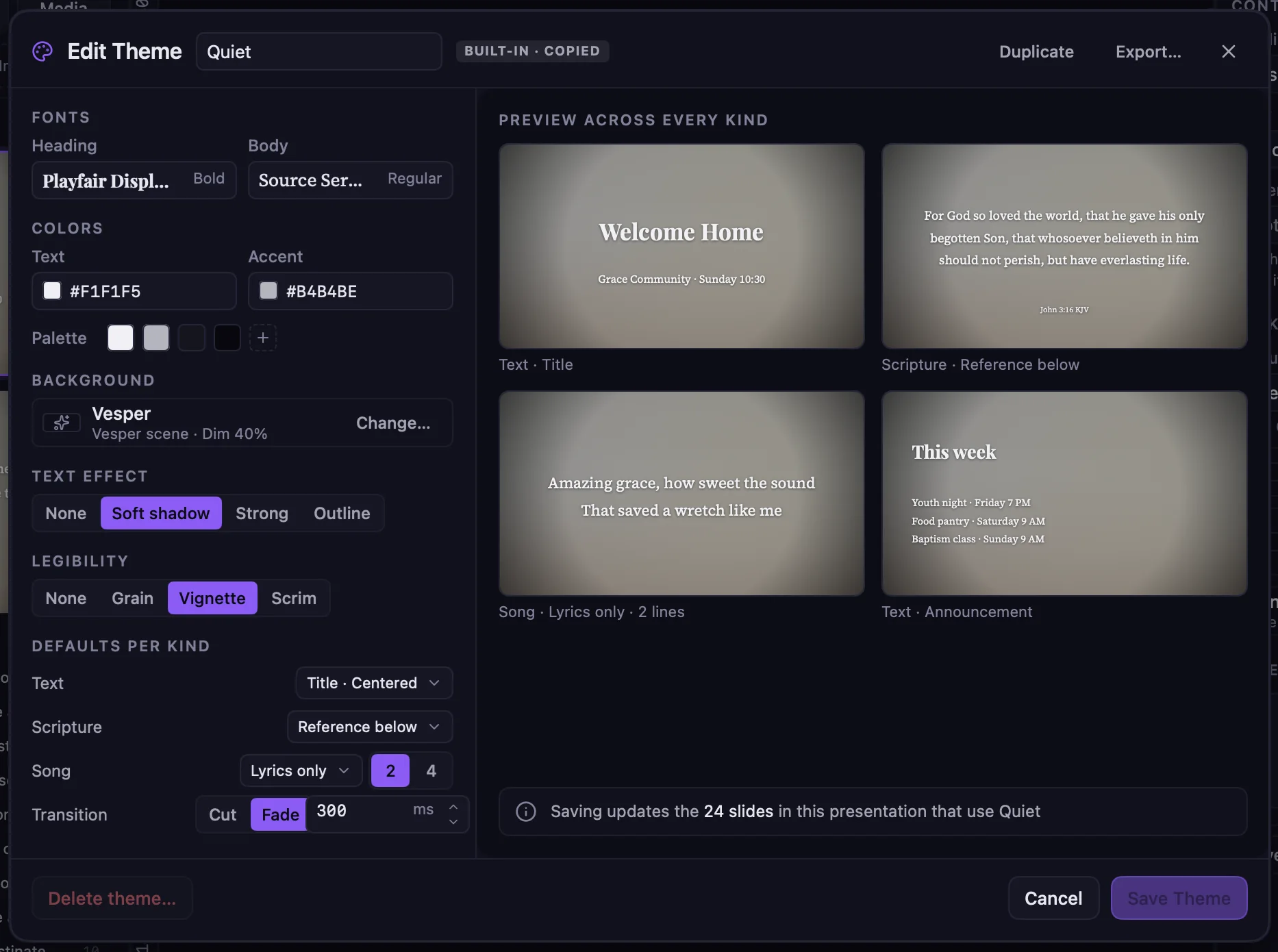
A theme sets the fonts, colors, background, and text treatment for titles, scripture, songs, and announcements at once. Change it and watch every kind of slide update in the preview. Save, and every slide that uses it follows.
Songs
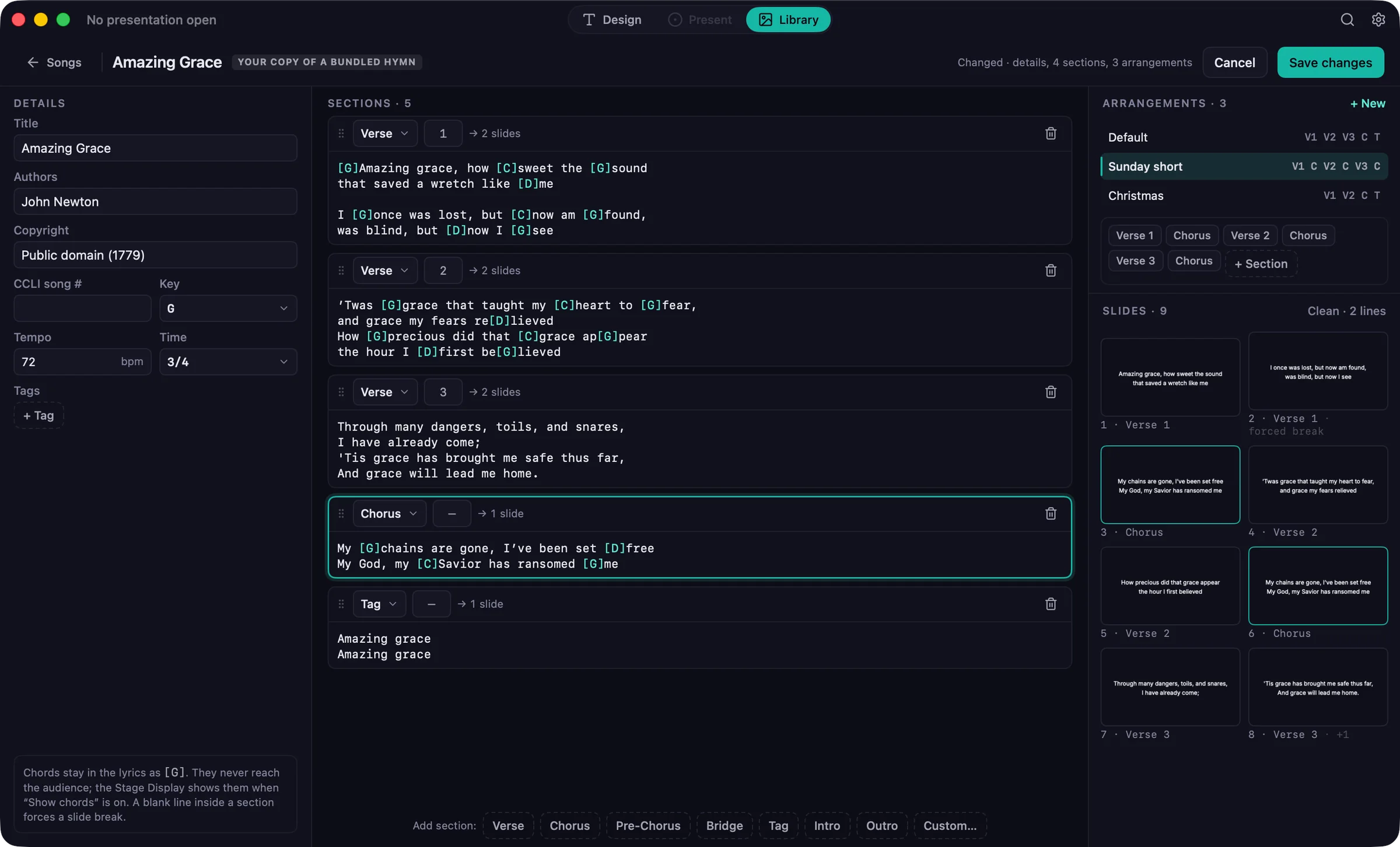
Write lyrics with chords inline, see how each section breaks into slides, and save arrangements like “Sunday short” or “Christmas”. Public-domain hymns come bundled, alongside your own songs.
Live controls
Freeze the audience screen while you line up what’s next, blank it, show your logo, or clear the text and keep the background. Put a message across the bottom of the screen without touching the slide.
Songs, media, saved slides, themes, and Bibles in one place, with tags, favorites, and a note of when each song was last used.
Add images and videos from your Mac’s Photos library, or drop in files and folders. Video in other formats is converted for you.
Find presentations and songs from Spotlight, and automate the start of the service with Shortcuts actions like Go Live and Start Countdown.
Projectors, TVs, AirPlay, and Sidecar in one Screens panel, with a clear check before you go live.
Once you’ve activated your license online, you can prepare and present without an internet connection.
No sign-up, no cloud service, and no subscription. Your presentations are ordinary files on your Mac.
Screenshots of Guidepost running on a Mac.
Try every feature for 30 days, then buy once with no subscription.