
01 / Prepare
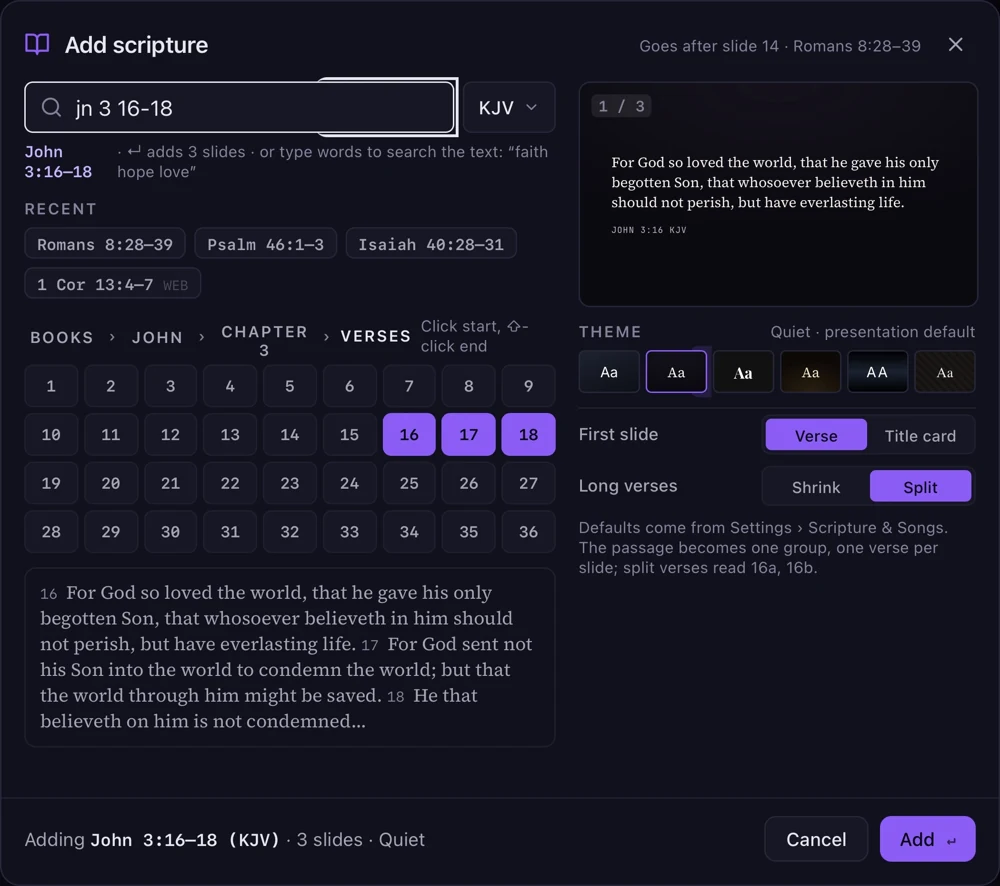
A passage, ready to present.
Add a scripture passage to the service with its verses grouped together and its reference included.
Church presentation software for Mac
Present songs, scripture, and slides
with a clear view of what comes next.
Guidepost helps you prepare the service and present it from your Mac, with the tools you need close at hand.
Yours to keep with a one-time purchase.
Coming soon for Mac, with every feature included in your 30-day trial.
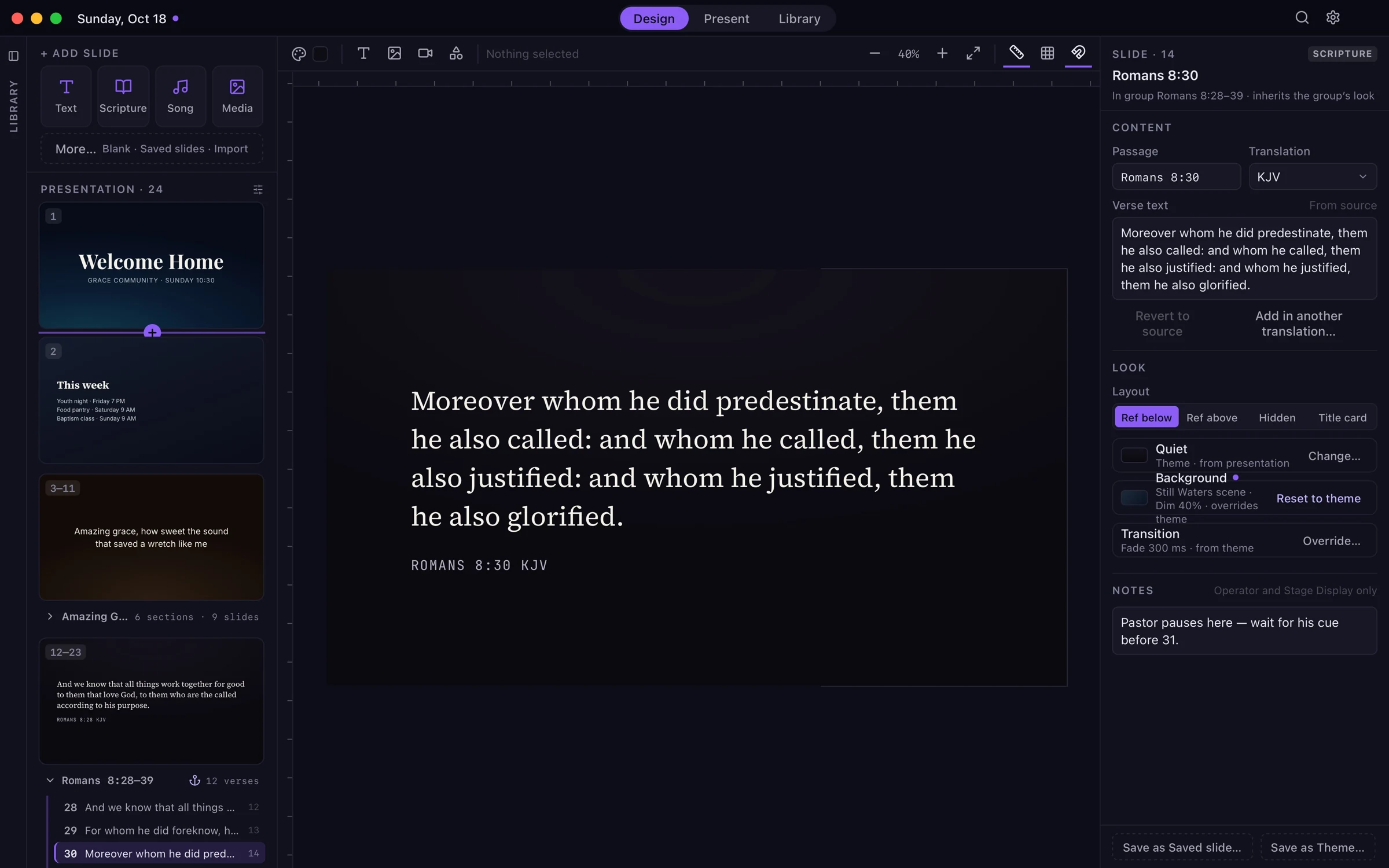
Bring songs, scripture, announcements, and media into one presentation. Start with a theme, then make the slides your own.
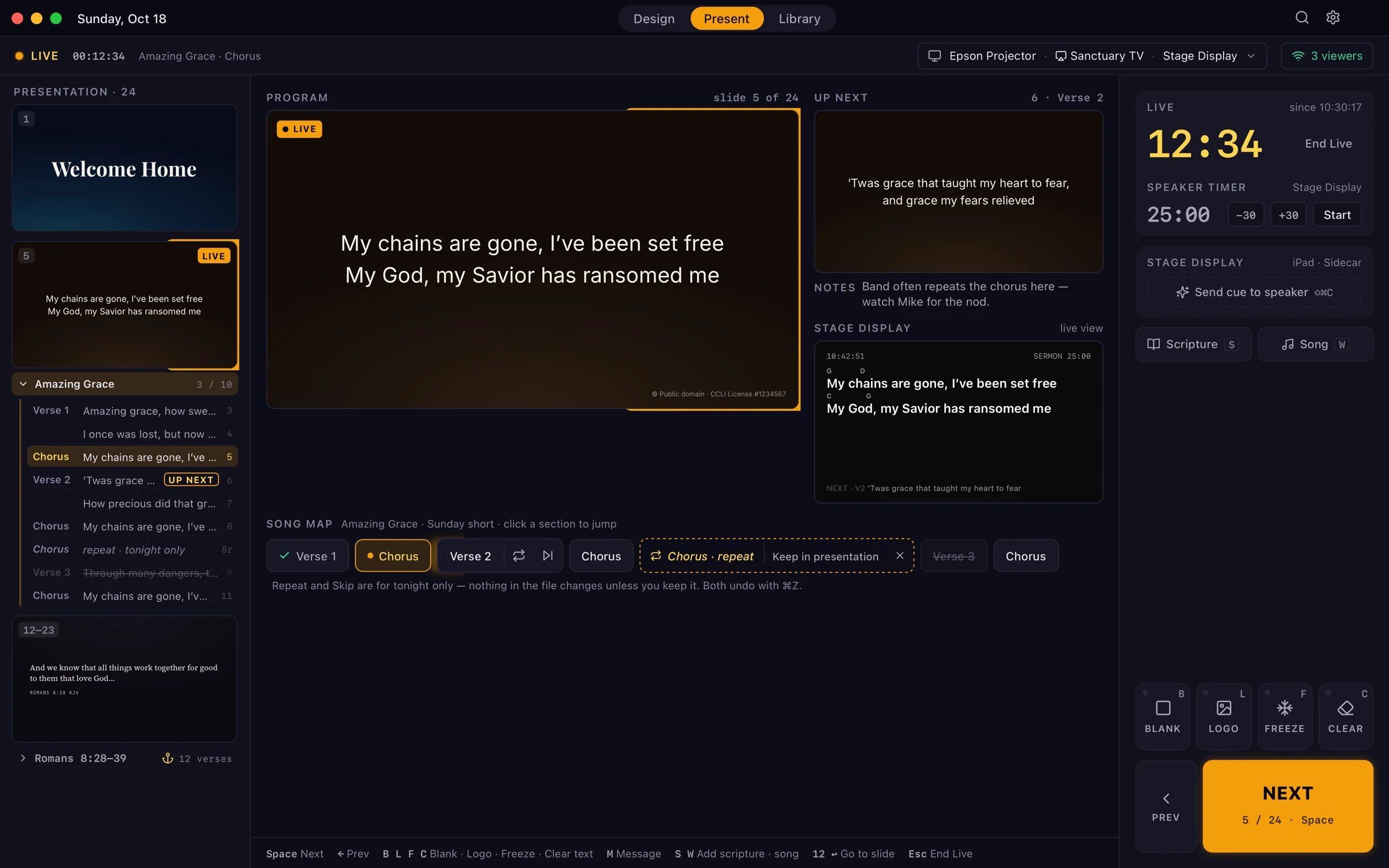
Keep the live slide, the next slide, and the stage display in view. Move through the service with clear controls and familiar keyboard shortcuts.
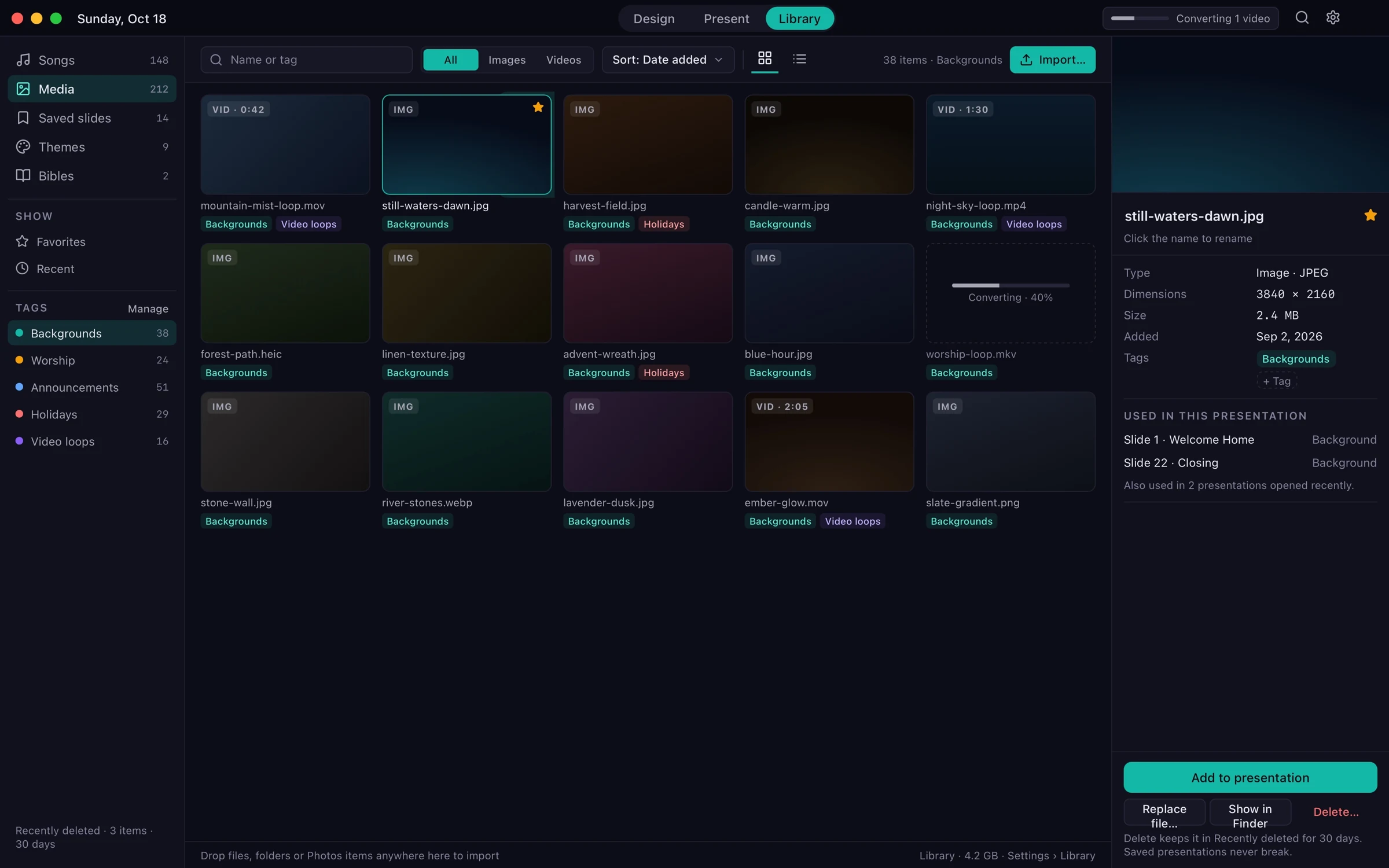
Organize your songs, images, videos, and saved slides in one place. Find what you need for this Sunday, and keep it for the next.
Screens shown are from the Guidepost application designs.
From preparation to presentation
Prepare slides during the week and run the service from the booth on Sunday.
Add a scripture passage to the service with its verses grouped together and its reference included.
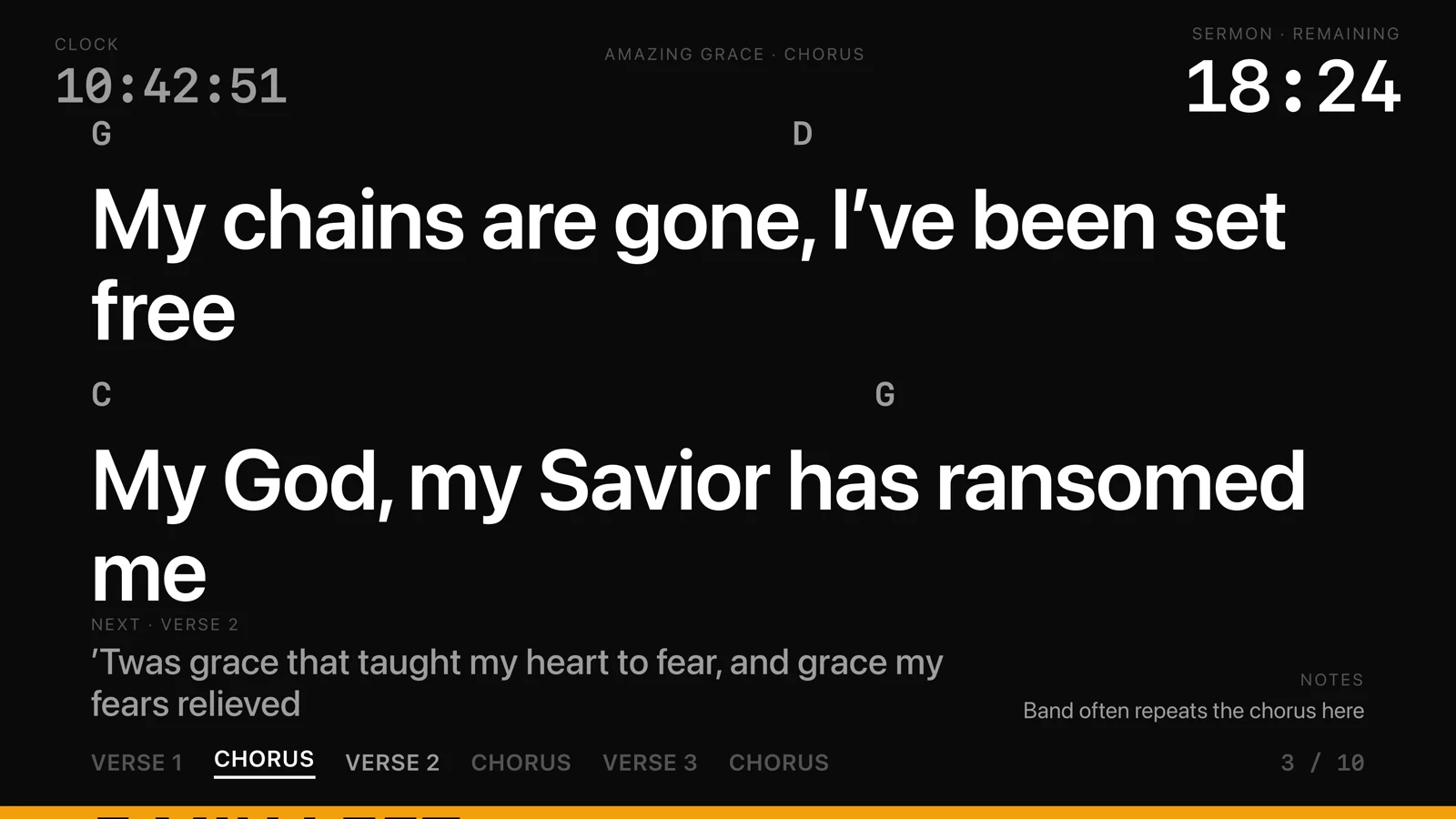
Give your speaker and musicians a view of the current slide, what’s next, and the time. You can also send a private cue when they need one.
Once you’ve activated your license online, you can prepare and present without an internet connection.
Keep the controls for advancing slides, blanking the screen, and freezing the audience screen close at hand.
A native Mac app with familiar keyboard shortcuts and focused workspaces.
Simple licensing
A one-time license for your church, with no subscription or recurring license payments.
A few common questions$149one-time purchase · no subscription
Up to 3 Macs with one license.
Planned launch price for the Mac app.
Good to know
A license is a one-time purchase for up to 3 Macs, with no subscription or recurring license payments.
You can try every feature for 30 days before buying. After the evaluation, a one-time license lets you keep presenting without a subscription.
Updates within your purchased major version are free. When a new major version is released, you can choose to buy an upgrade license.
Once you’ve activated your license online, you can prepare and present without an internet connection.
Use a wired projector or display, or connect an AirPlay TV through macOS as a separate display. The Stage Display gives your speaker and musicians their own view. Devices on the church network can also watch in a web browser.
You can use Guidepost without creating an account or managing a customer portal.
Guidepost is built for Mac and is not available for Windows.
When Guidepost is ready, you’ll be able to buy a license directly from this site through Stripe.
Try every feature for 30 days, then buy once with no subscription.